

 ChatGPT
 Perplexity
 Grok
Grok
 Google AI
Forms can turn website visitors into valuable business leads. However, submissions alone cannot explain form performance. Businesses need to understand how visitors interact with forms. Form analytics reveals where engagement increases or drops. It also highlights friction affecting completed submissions. These insights help teams spot opportunities for improvement. The right metrics can guide practical improvements. This makes optimisation more informed and measurable. Better analysis can also support stronger lead generation.
What Is Form Analytics?
Form analytics involves analysing how visitors interact with website forms. It tracks actions before, during, and after submission. Businesses can measure views, starts, completions, and abandonment. These metrics reveal how visitors respond to forms. They also highlight patterns across different traffic sources. This gives teams greater visibility into performance. Instead of guessing, businesses can study actual behaviour.
Form analytics metrics become stronger when viewed together. Individual numbers rarely explain the complete user experience. Strong traffic may still produce weak submission results. High submissions may also hide poor lead quality. Comparing similar forms provides more meaningful performance insights. Regular tracking can reveal changes over time. This helps teams make informed optimisation decisions.
Why Form Analytics Matters for Lead Generation
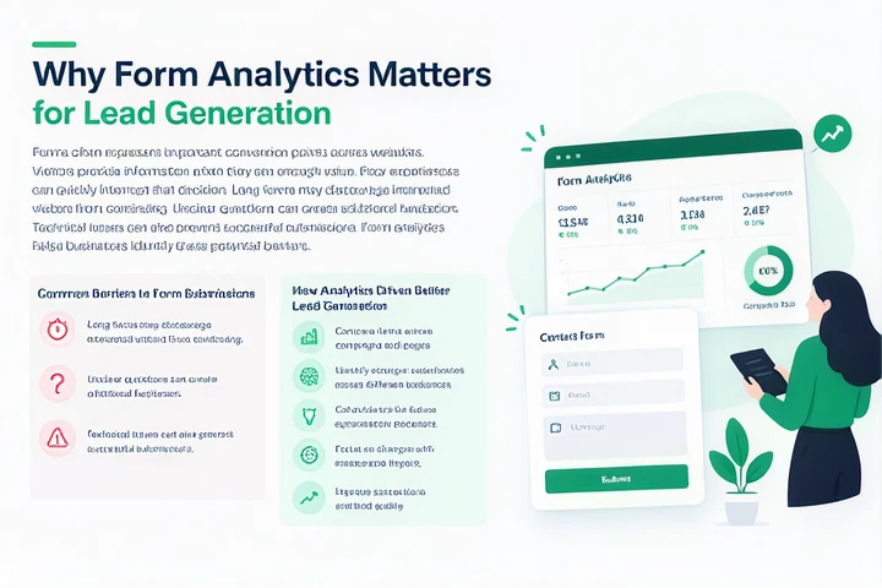
Forms often represent important conversion points across websites. Visitors provide information when they see enough value. Poor experiences can quickly interrupt that decision. Long forms may discourage interested visitors from continuing. Unclear questions can create additional hesitation. Technical issues can also prevent successful submissions. Form analytics helps businesses identify these potential barriers.
Analytics also helps teams understand what drives conversions. Businesses can compare forms across campaigns and pages. They can identify stronger experiences across different audiences. This creates evidence for future optimisation decisions. Teams can focus on changes with measurable impact. Better insights can improve conversions and lead quality. This creates a more informed lead generation process.
Which Form Analytics Metrics Actually Matter?
Not every metric deserves equal attention. Some numbers provide stronger insights into visitor behaviour. Others simply describe activity without explaining performance. Businesses should prioritise measurements connected with clear objectives. Several form analytics metrics provide useful performance indicators.
Form Conversion Rate
Form conversion rate measures completed submissions against visitors. It provides a useful indicator of overall form effectiveness. Businesses can compare rates across similar landing pages. They can also compare campaigns with similar audiences. However, you need context before making decisions. Different traffic sources can produce different visitor intent. Audience quality can therefore influence overall performance.
Form Abandonment Rate
Form abandonment rate shows where visitors leave forms. High abandonment can indicate friction during completion. However, abandonment does not always point to a single problem. Visitors may leave because forms feel unnecessarily long. Confusing questions can also interrupt completion. Technical problems may create unexpected barriers. Device differences can further affect the user experience.
Form Completion Rate
Form completion rate measures how often users complete forms. It helps teams understand how usable forms feel. A strong rate suggests fewer completion barriers exist. A weak rate can indicate potential usability problems. Businesses should compare completion across different devices. They should also consider traffic source and visitor intent.
Form Start Rate
Form start rate measures initial visitor engagement. It shows whether visitors begin interacting with forms. Low starts can indicate weak visibility or relevance. Strong page traffic may still produce limited starts. Teams should examine surrounding content and form placement. Clear messaging can encourage more visitors to begin.
Submission Volume
Submission volume measures the total number of completed form submissions. It provides useful context around overall lead activity. High volume can indicate strong traffic or demand. However, volume alone does not measure lead quality. Businesses should compare volume against conversion and sales outcomes. This creates a more balanced performance picture.
Understanding Form Conversion Rate
Form conversion rate measures how effectively forms generate submissions. Businesses can compare rates across pages and similar audiences. These comparisons reveal stronger and weaker form experiences. However, always view conversion rates in context.
Higher rates do not always mean better results. Shorter forms may generate more submissions overall. However, they may collect less useful information. Teams should balance conversions with lead quality. Traffic quality and page messaging can influence results. This makes context essential when analysing conversion rates.
Finding Problems Through Form Abandonment
Form abandonment shows where visitors leave before completing a form. High abandonment can indicate friction within the experience. However, teams should investigate patterns before changing forms. Different visitors may abandon forms for different reasons. Mobile users may experience different barriers than desktop users. Traffic sources may also influence abandonment behaviour.
Teams should examine where abandonment happens most frequently. They should carefully compare desktop and mobile performance. Different traffic sources can reveal different user behaviours. Identifying patterns prevents unnecessary form changes. Teams can then address specific friction points directly. This creates a more targeted optimisation process.
Common Causes Behind Form Abandonment
Several factors can discourage visitors from completing forms. Excessive fields can make forms feel demanding. Unclear questions may create uncertainty during completion. Poor mobile layouts can make interaction frustrating. Technical errors can also interrupt the submission process. Unexpected requirements may cause visitors to leave. Early exits may indicate weak initial engagement. Later exits can suggest increasing friction during completion. Analytics helps identify these recurring abandonment patterns. This lets teams make targeted improvements.
How Form Performance Tracking Reveals User Behaviour
Form performance tracking reveals how visitors interact with forms. Teams can identify engagement patterns across different pages. They can compare results across campaigns and audiences. Tracking also shows whether optimisation changes actually work. Teams can test layouts, fields, and calls to action. These insights support more informed optimisation decisions. Audience differences can also reveal varying engagement patterns. This helps teams identify issues and improve form performance.
Connecting Form Analytics With Lead Management
Form analytics becomes stronger within wider lead management processes. Submission data can provide useful context about prospects. Teams can see which forms generated individual leads. They can also understand where those prospects originated. This information supports better follow-up and qualification.
From Form Activity to Lead Outcomes
Lead tracking connects form activity with later outcomes. Businesses can identify which sources generate valuable opportunities. They can also compare engagement across different campaigns. Lead Tracking From Form Submission to Sale explains this broader process. Connecting these insights creates better visibility across the journey.
Using Data to Improve Lead Follow-Up
Form data can also support more relevant follow-up. Teams can understand how prospects entered their pipeline. They can compare leads from different forms and campaigns. This helps identify stronger sources of potential opportunities. It also gives sales teams useful submission context. Better context supports more informed lead management decisions.
Practical Ways to Improve Form Performance
Improving form performance starts with identifying specific friction. Analytics can reveal where visitors experience difficulties. Teams should address the biggest performance gaps first. Consider these practical improvements:
- Remove fields that do not support qualification.
- Simplify questions that create unnecessary confusion.
- Strengthen calls to action around desired actions.
- Improve form visibility across important landing pages.
- Make forms easier to complete on mobile.
- Match form length with visitor purchase intent.
- Test layouts before making permanent changes.
The surrounding page experience also influences form performance. Visitors need enough information before submitting details. Supporting content should reinforce the form’s value. Regular testing can reveal stronger combinations. For stronger form experiences, review 15 Form Design Best Practices That Increase Conversions
Using Form Analytics For Better Decisions
Form analytics should support decisions, not just reports. Teams need insights that drive practical action. Businesses should focus on metrics linked with objectives. The following metrics provide useful performance direction.
| Metric | What It Shows | Useful Action |
| Conversion rate | Overall form effectiveness | Improve weak conversion points |
| Abandonment rate | Potential completion friction | Review difficult form stages |
| Completion rate | Successful form usability | Identify stronger experiences |
| Start rate | Initial visitor engagement | Improve visibility and relevance |
| Submission volume | Overall lead activity | Compare campaign performance |
Teams should compare these metrics across meaningful periods. Longer trends provide stronger performance signals. Seasonal changes can also affect visitor behaviour. Campaign launches may create temporary performance changes. Context helps teams avoid reacting too quickly.
Turning Analytics Into Form Optimisation
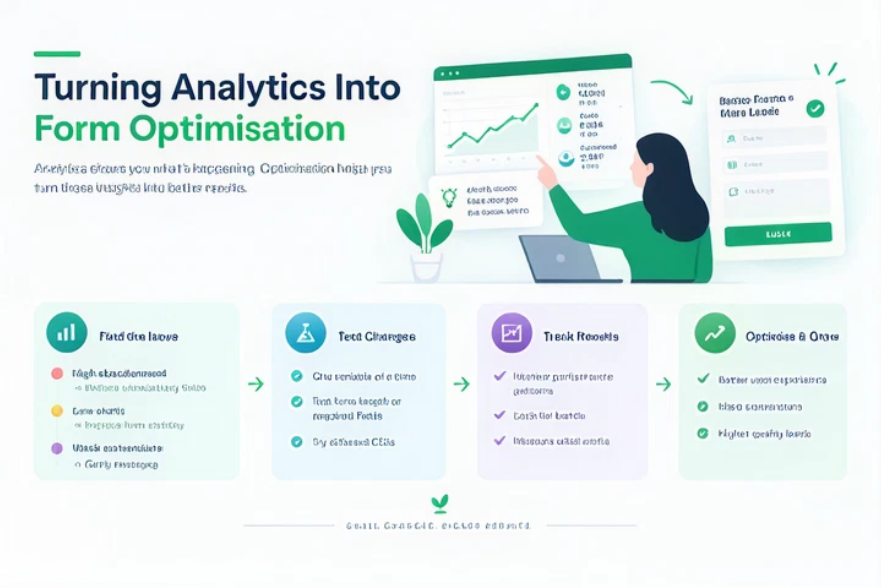
Analytics becomes valuable when teams act on insights. High abandonment may suggest reducing unnecessary fields. Low starts may indicate weak form visibility. Weak conversions may suggest unclear messaging. Teams should connect each issue with targeted improvements.
Teams should test changes one variable at a time. This makes results easier to measure and interpret. They can test form length or required fields. Calls-to-action can also influence visitor decisions. Regular analysis helps identify changing performance patterns. This supports continuous and informed form optimisation.
Matching Metrics With Business Goals
Different teams may prioritise different form analytics metrics. Marketing teams may focus on campaign-specific form results. Sales teams may prioritise lead quality and outcomes. Lead generation teams often focus on conversion performance. These priorities should guide which metrics teams track.
Businesses should keep their measurement process practical. Conversion, abandonment, and completion provide useful foundations. Submission volume adds important performance context. Start rates reveal initial visitor engagement. Teams should choose metrics supporting specific business questions. For broader lead capture improvements, see 10 Proven Ways to Generate More Leads From Your Website.
How LeadXForms Supports Better Form Insights
LeadXForms helps businesses capture information through website forms. Effective forms provide valuable data for later analysis. Businesses can use that information within broader workflows. Better visibility can support faster lead management decisions. It can also reduce unnecessary manual processes.
Form analytics works best when connected with lead workflows. Businesses can understand submissions and what comes next. This creates a more connected approach to lead management. Better data can also support more relevant follow-ups. Visit LeadXForms to explore its capabilities.
Businesses can also compare their approach with LeadX Forms vs. traditional contact forms. This comparison can help identify stronger form approaches.
Conclusion
Form analytics helps businesses understand how forms perform. The right metrics reveal engagement and conversion behaviour. Conversion rates show how effectively forms generate submissions. Abandonment rates highlight potential friction during completion. Completion rates reveal how easily visitors finish forms. Submission volume provides useful context around lead activity. Businesses should connect these metrics with clear objectives. Regular analysis can guide meaningful form optimisation. Better insights create stronger lead capture experiences.
Frequently Asked Questions
Form analytics measures how visitors interact with website forms. It tracks engagement, completion, abandonment, and submissions. These insights help businesses understand overall form performance.
Form conversion rate measures completed submissions against relevant visitors. It shows how effectively forms turn visitors into leads. Businesses can compare rates across similar forms.
Visitors abandon forms for several possible reasons. Long forms can create unnecessary barriers to completion. Confusing questions may also discourage continued interaction. Technical problems can create additional submission difficulties.
Businesses should first identify where visitors stop. Removing unnecessary fields can reduce barriers to completion. Clear instructions can also improve visitor confidence. Regular testing helps identify stronger form experiences.
Conversion, abandonment, and completion rates provide useful insights. Submission volume adds important context around lead activity. Start rates can reveal initial visitor engagement. Businesses should prioritise metrics supporting their objectives.