

 ChatGPT
 Perplexity
 Grok
Grok
 Google AI
Most B2B lead-generation forms lose prospects quickly. Long fields and clunky design cause abandonment. Buyers expect a quick, simple experience. A poorly built form wastes marketing spend entirely.
High-converting forms do more than collect names. They qualify prospects before sales gets involved. Good forms filter noise and boost quality. They turn casual visitors into sales-qualified leads.
This guide covers what actually works. You’ll learn which elements drive conversions. You’ll also see how to qualify leads faster. Use these principles to build better forms.
Why B2B Lead Generation Forms Matter
Forms sit at the centre of most campaigns. They connect your website to your pipeline. Every ad, email, and landing page relies on them. Without a strong form, that traffic goes nowhere.
B2B buyers research extensively before submitting details. They compare vendors and read reviews first. By the time they reach your form, intent is high. A clunky form can still lose that intent.
Lead generation forms also shape first impressions. A slow, confusing form signals a slow business. A clean, fast form signals professionalism instead. That impression affects trust before any call happens.
Getting forms right supports your whole funnel. Marketing teams get better data to work with. Sales teams get warmer, more qualified leads. Everyone benefits when the form performs well.
Explore LeadX Forms for modern form solutions.
What Makes a B2B Form Convert
Conversion starts with reducing friction for visitors. Every extra field increases the chance of dropout. Ask only for information you truly need. Save deeper qualification for later touchpoints.
Clarity matters just as much as brevity. Visitors should know exactly what happens next. Label buttons clearly, such as Get My Quote. Vague labels like Submit reduce completion rates.
Design also plays a big role here. Forms should match your site’s overall style. Consistent branding builds trust throughout the journey. Inconsistent design creates doubt at the worst moment.
Timing affects conversion rates significantly too. Forms placed after value-driven content convert better. A form shown too early feels pushy. Context helps visitors feel ready to submit.
For stronger design guidance, review 15 form design best practices.
Essential Elements of High-Converting B2B Forms
Certain elements consistently improve form performance. These apply across industries and campaign types. Testing them individually reveals what works best. Combined, they create a stronger overall experience.
Each element addresses a different part of the journey. Together, they reduce friction and build confidence. The sections below break down each one.
Clear and Relevant Fields
Only ask for essential contact information. Extra fields increase cognitive load significantly. Name, email, and company usually suffice initially. Additional details can come later in the funnel.
The right number of fields can improve conversions. Consider how many fields your lead form should have when planning your B2B form.
Mobile-Friendly Design
Many B2B buyers browse on mobile devices. Forms must resize cleanly across screens. Buttons need enough space for taps. A broken mobile form instantly loses leads.
Fast Load Times
Slow forms frustrate time-poor business buyers. Every second of delay increases dropout. Optimise images and scripts around your form. Speed directly impacts your conversion rate.
Trust Signals
Add security badges or client logos nearby. These signals reduce hesitation before submitting. Privacy assurances also help nervous prospects. Trust signals turn interest into action.
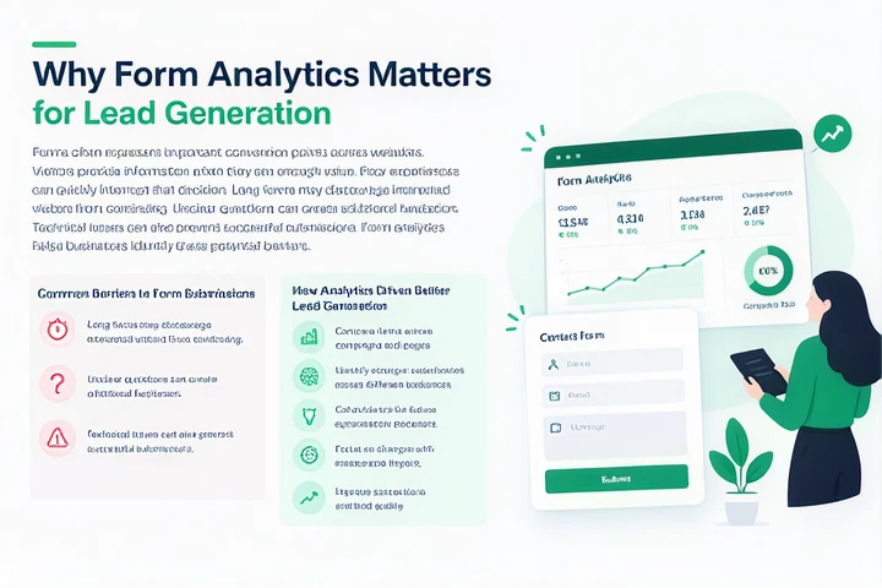
Using Form Features to Qualify Leads
Not every submission deserves a sales call. Smart forms filter leads automatically upfront. This saves sales teams valuable time daily. It also significantly improves overall lead quality.
Modern form builders offer features for this purpose. Each feature targets a different qualification challenge. The sections below explain how they work.
Conditional Logic
Conditional logic changes questions based on answers. It shows relevant fields to each visitor. This keeps forms short and focused. It also gathers better qualification data instantly.
Lead Scoring Fields
Adding scoring fields automatically ranks incoming leads. Budget, timeline, and company size help scoring. Sales teams can prioritise high-value prospects first. This speeds up response times considerably.
Partial Lead Capture
Some visitors abandon forms before finishing. Partial capture saves whatever information they entered. Marketing teams can follow up regardless. This recovers leads that would otherwise disappear.
Reducing abandonment should remain a key priority. Learn more about reducing form abandonment and increasing conversions.
Spam and Keyword Filtering
Spam submissions waste time and skew data. Filtering tools block bots and irrelevant entries. Keyword blocking stops obvious junk submissions. Clean data leads to better decisions overall.
Common B2B Lead Generation Form Mistakes
Even experienced marketers make avoidable errors. These mistakes quietly hurt conversion rates. Recognising them helps you fix issues quickly.
Asking for too much information upfront is common. This scares away otherwise interested prospects. Keep initial forms lean and simple instead.
Ignoring mobile experience is another frequent mistake. Many teams test only on desktop screens. This overlooks a huge share of visitors.
Skipping A/B testing also limits improvement. Small changes to copy or layout matter. Testing reveals what your audience actually prefers.
How Automation Improves B2B Lead Flow
Automation connects your form to your systems. It removes manual work from every submission. Leads move faster once automation is set up. This section covers the key tools involved.
Automation isn’t just about speed alone. It also improves consistency across your team. Every lead gets handled the same way.
CRM Integration
Connecting forms to your CRM saves time. Leads appear instantly without manual entry. Sales teams see complete data immediately. This reduces errors and speeds up outreach.
Automated Follow-Up
Automated emails respond to leads instantly. Prospects feel acknowledged right away. This keeps momentum going after submission. Delayed follow-up often costs you the deal.
AI-Powered Form Creation
AI tools speed up the process of building new forms. Marketers launch campaigns without technical help. This frees time for strategy instead. Faster builds mean faster testing cycles too.
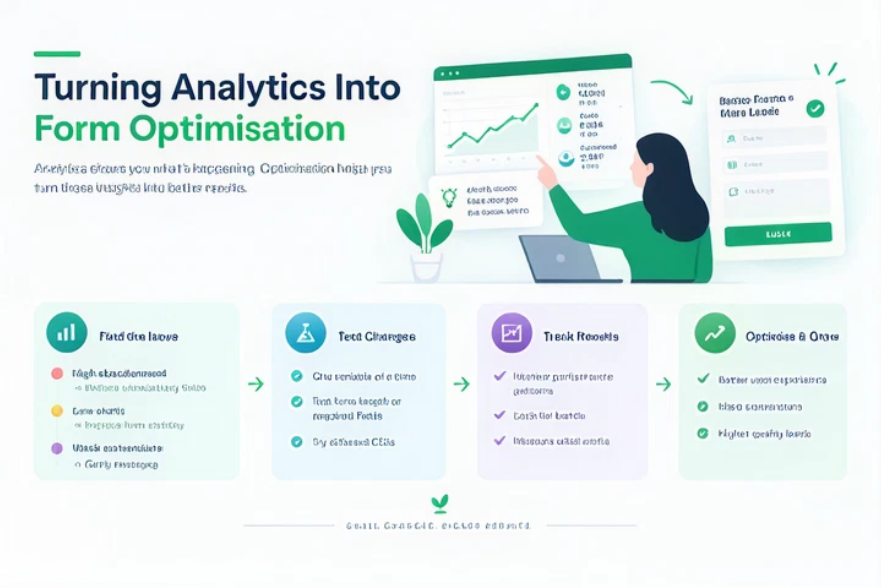
Measuring and Optimising Form Performance
Form optimisation never really finishes completely. Buyer behaviour shifts, so forms should adapt. Regular reviews keep your forms performing well.
Track completion rates for every form field. Identify where visitors commonly drop off. That data points directly to problem areas.
Compare conversion rates across different campaigns. Some traffic sources convert better than others. Adjust your form strategy based on results.
Review qualification data alongside conversion numbers. High completion means little without good leads. Balance volume and quality for the best outcome.
Conclusion
B2B lead generation forms deserve real attention. Small improvements often produce large results. Focus on clarity, speed, and relevant fields. Use qualification features to filter early.
Automation and CRM integration keep leads moving. Regular testing keeps your forms sharp. Treat your form as a core sales tool. The right form turns visitors into revenue.
Frequently Asked Questions
Effective forms stay short and relevant. They qualify leads using smart features. Fast load times also improve results. Clear calls-to-action increase completion rates.
Keep initial forms to three or four fields. Name, email, and company usually suffice. Additional details can come later on. Shorter forms generally see higher completion.
Yes, conditional logic tailors questions per visitor. It gathers relevant information without overwhelming forms. This helps sales teams qualify leads faster. Better data means better follow-up conversations.
Many business buyers browse on mobile devices. A broken mobile form immediately loses leads. Responsive design keeps the experience smooth. This protects conversions across every device type.
Automation connects forms directly to your CRM. It triggers instant follow-up emails automatically. This speeds up response times significantly. Faster responses often lead to better conversion.