 ChatGPT
 Perplexity
 Grok
Grok
 Google AI
Driving website traffic is only half the challenge today. Many visitors leave without taking any meaningful action. Every missed visitor represents another lost business opportunity.
Without a lead capture form, valuable prospects remain completely anonymous. You cannot follow up or build lasting customer relationships. Marketing campaigns become expensive without delivering consistent business growth.
Fortunately, solving this problem is surprisingly straightforward. A well-designed lead capture form encourages visitors to share their details. In return, they receive something genuinely valuable from your business.
The result is a steady flow of qualified enquiries instead. Businesses capture leads, automate follow-ups, and improve conversion rates. Better conversations often lead to stronger long-term customer relationships.
You will learn how to create an effective lead capture form. We also cover lead capture form examples, best practices, and templates. And proven strategies for building high-converting lead capture forms that deliver better results.
What Is a Lead Capture Form?
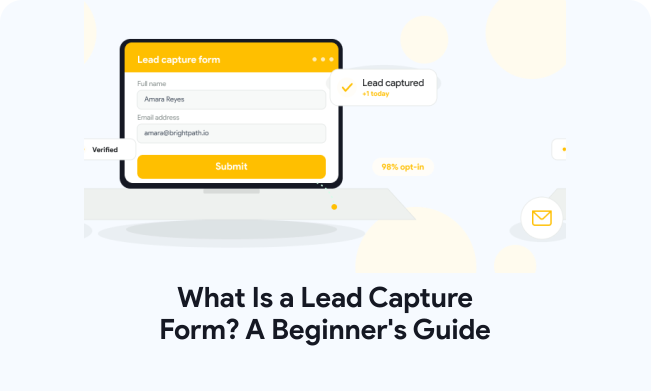
A lead capture form is an online form that collects visitor information. Businesses use it to identify potential customers and generate qualified enquiries. Instead of losing anonymous visitors, you begin meaningful conversations immediately.
A well-designed lead capture form supports consistent business growth over time. It captures more enquiries, improves follow-ups, and increases conversion opportunities. That makes it an essential tool for every modern website.
How Does a Lead Capture Form Work?
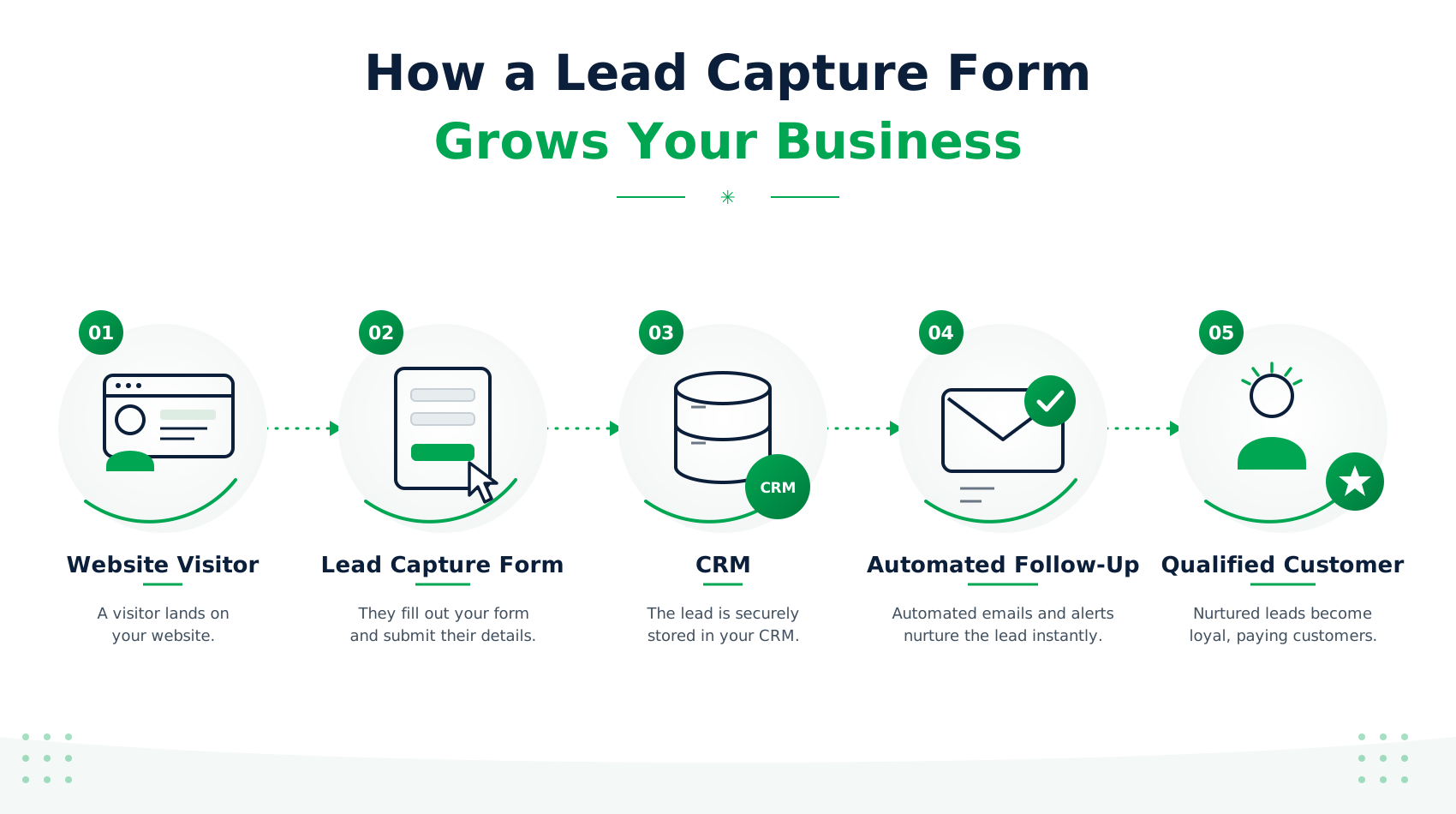
A lead capture form follows a simple process from beginning to end. Every step helps convert anonymous visitors into qualified business opportunities. The entire journey takes only a few moments to complete.
A Visitor Lands on Your Website
The journey starts when someone visits your website or landing page. They may arrive through search engines, advertisements, email campaigns, or social media. Relevant content encourages them to explore your offer further.
They Complete Your Lead Capture Form
Interested visitors enter their information into your online form. Most businesses request only essential details to reduce friction significantly. Simple forms generally produce better completion and conversion rates.
Your CRM Stores the Lead
After submission, the information is securely stored automatically. CRM integration organises every lead without manual data entry. This keeps your sales pipeline accurate and well organised.
Automated Follow-Ups Begin
Automation immediately sends emails or alerts your sales team. Businesses can schedule consultations, share resources, or answer enquiries faster. Quick responses build trust and improve conversion opportunities.
Why Every Business Needs a Lead Capture Form
A lead capture form does much more than collect contact details. It helps businesses identify interested prospects before they leave your website. Better lead management creates stronger customer relationships and consistent business growth.
Turn Website Visitors into Qualified Leads
Not every visitor is ready to purchase immediately. A lead capture form identifies people already showing genuine interest. Sales teams spend more time on qualified opportunities instead.
Increase Website Conversion Rates
Every completed form creates another opportunity for future sales. Clear offers encourage visitors to take action with confidence. Higher conversions deliver better returns from existing website traffic.
Build a High-Quality Email List
Email remains one of the strongest marketing channels available today. Lead generation forms help businesses grow permission-based subscriber lists naturally. This supports long-term engagement and repeat business opportunities.
Personalise Customer Communication
Collected information helps businesses understand every prospect more effectively. Personalised communication builds stronger trust and customer relationships over time. Relevant messages also improve response and engagement rates.
Automate Your Lead Generation Process
Modern platforms automate repetitive lead management tasks effortlessly. New enquiries instantly reach your CRM and marketing software. Faster workflows save time while improving customer experiences.
What Information Should a Lead Capture Form Collect?
The information you collect should match your business objectives carefully. Asking unnecessary questions often reduces submissions and increases abandonment rates. Keep every field relevant to your sales process.
Most high-converting lead capture forms request only essential information first. Additional details can always be collected during future conversations. A shorter form creates a faster and better user experience.
| Field | Purpose |
| Name | Personalise future communication |
| Email Address | Send follow-ups and valuable resources |
| Phone Number | Contact qualified leads directly |
| Company Name | Identify business opportunities |
| Job Title | Understand decision-makers |
| Message | Learn the visitor’s requirements |
Tip: Keep required fields to a minimum (such as Name and Email Address) for top-of-funnel offers to maximize completion rates, using optional fields like Job Title or Message for higher-intent leads.
Collect only information that benefits both your business and visitors. Simple forms usually generate more enquiries and higher conversion rates.
The Most Effective Types of Lead Generation Forms
Different lead generation forms support different business goals successfully. Choosing the right format improves user experience and conversion performance. Match your form to the action you want visitors to take.
Contact Forms
Contact forms capture general enquiries from potential customers. They usually request basic details and a short message. They work well across service and business websites.
Newsletter Signup Forms
These forms help businesses build valuable email subscriber lists. Most request only an email address for quick registration. Simplicity encourages higher completion rates.
Demo Request Forms
Software companies often use demo request forms effectively. They help qualify prospects before scheduling personalised demonstrations. Sales teams receive better information before contacting leads.
Quote Request Forms
Service businesses use quote forms to collect project requirements. Visitors describe their needs before requesting customised pricing. This improves qualification before initial conversations.
Free Trial Forms
Free trial forms encourage prospects to experience products directly. Businesses collect enough information to create customer accounts. Trials reduce buying hesitation significantly.
Lead Magnet Forms
Lead magnet forms exchange valuable content for visitor information. Businesses offer guides, templates, checklists, or industry resources. This approach generates highly qualified leads consistently.
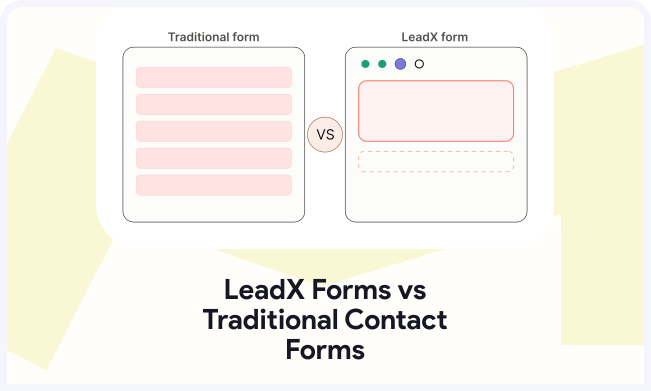
Lead Capture Form vs Contact Form: What’s the Difference?
Although both forms collect visitor information, their purpose differs significantly. Understanding those differences helps businesses choose the right solution. Each form supports different marketing and sales objectives.
A contact form starts conversations with existing website visitors. A lead capture form focuses on converting visitors into qualified prospects. Businesses seeking growth should prioritise high-converting lead capture forms where appropriate.
| Feature | Lead Capture Form | Contact Form |
| Primary Purpose | Generate qualified leads | General communication |
| CRM Integration | Yes | Optional |
| Marketing Automation | Yes | Limited |
| Sales Focus | High | Low |
| Lead Qualification | Yes | No |
| Best For | Lead generation campaigns | Customer enquiries |
Takeaway: While Contact Forms act as open-door communication channels for general questions, Lead Capture Forms are structured sales assets designed to score, qualify, and route prospects directly into your automation pipelines.
Where Should You Place a Lead Capture Form for Maximum Conversions?
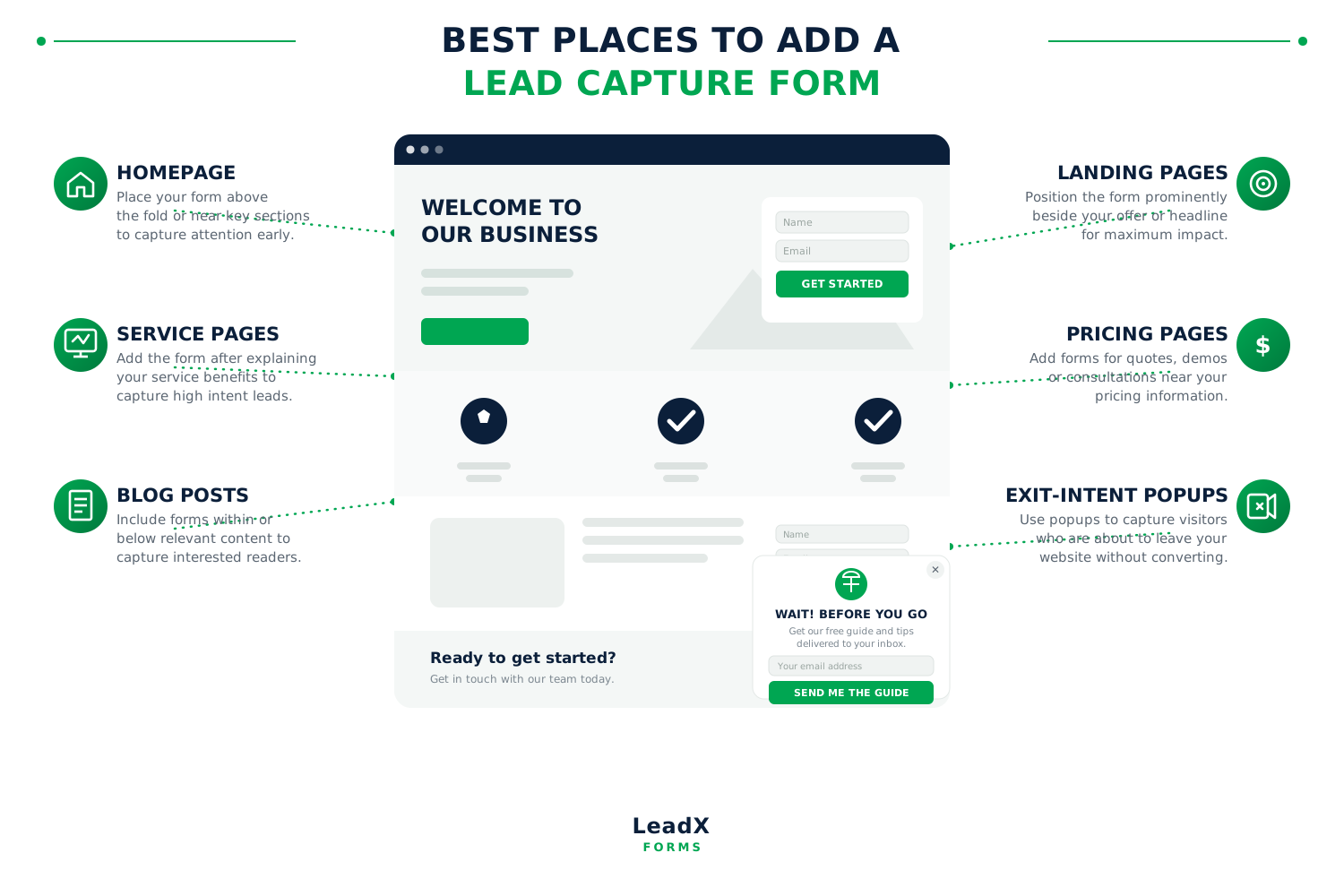
Creating a great lead capture form is only the beginning. Placing it in the right location has an even bigger impact. Strategic placement increases visibility and encourages more visitors to take action.
Homepage
Your homepage often attracts first-time visitors and potential customers. Add a lead capture form above the fold or near key sections. This helps convert interest before visitors leave your website.
Landing Pages
Landing pages are designed to achieve one specific conversion goal. Place your lead capture form prominently beside your offer or headline. Fewer distractions usually result in higher conversion rates.
Service Pages
Visitors exploring your services already show buying intent and interest. Position a lead generation form after explaining your service benefits. This encourages enquiries while interest remains high.
Pricing Pages
Pricing pages attract visitors closer to making purchasing decisions. Add a form for quotes, demos, or personalised consultations nearby. This removes hesitation and creates valuable sales opportunities.
Blog Posts
Educational content builds trust before visitors become ready to enquire. Include a lead capture form within or below relevant articles. Offer guides, templates, or consultations to increase submissions.
Exit-Intent Popups
Some visitors leave without taking any meaningful action. Exit-intent popups provide one final opportunity to capture their details. Offer a valuable incentive to encourage them to stay connected.
How to Create a Lead Capture Form That Converts
Learning how to create a lead capture form is easier than expected. The best forms focus on simplicity, value, and user experience. Following a structured process improves both lead quality and conversions.
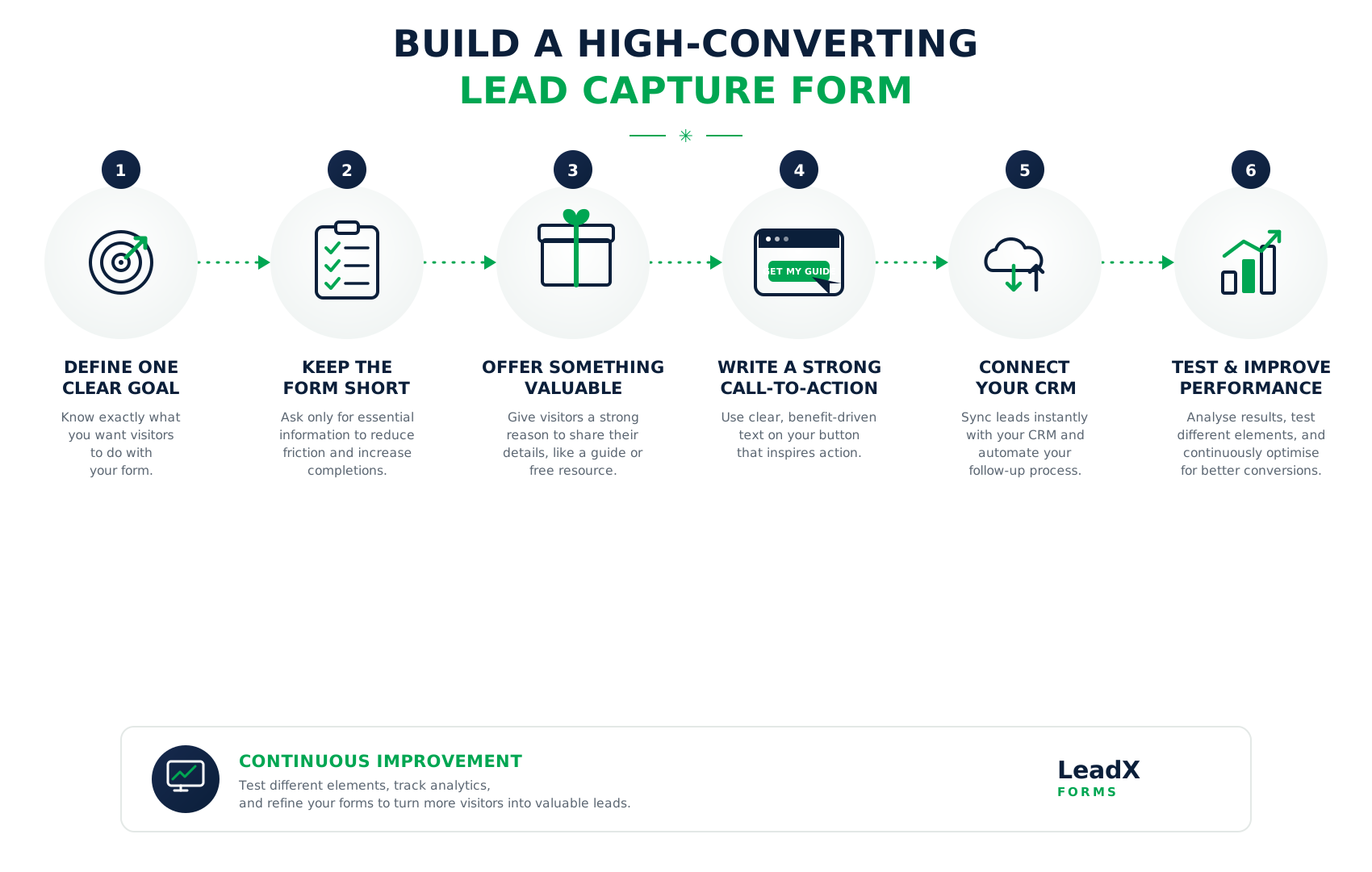
Define One Clear Goal
Every form should focus on a single objective only. Decide whether you want enquiries, demo requests, bookings, or subscribers. Clear goals create stronger conversion opportunities.
Keep the Form Short
Only request information you genuinely need from every visitor. Fewer fields reduce friction and improve completion rates significantly. Simple forms usually perform better across every device.
Offer Something Valuable
Visitors expect value before sharing personal information online. Offer a free guide, consultation, checklist, or product demonstration. Strong incentives encourage more people to complete your form.
Write a Strong Call-to-Action
Your button should clearly explain the next step visitors receive. Replace generic wording with benefit-driven action phrases instead. Strong CTAs improve clicks and increase overall conversions.
Connect Your CRM
Integrating your CRM keeps every lead organised automatically. New enquiries instantly enter your sales and marketing workflow. Faster follow-ups create better customer experiences and stronger results.
Test and Improve Performance
Monitor form performance regularly using analytics and conversion data. Test headlines, layouts, fields, and button text consistently. Continuous optimisation produces better results over the long term.
Conclusion
A lead capture form turns visitors into valuable business opportunities. It helps businesses generate leads and increase website conversions.
Simple forms usually deliver stronger results than complicated ones. Strategic placement also encourages more visitors to take action.
LeadXForms makes creating professional forms quick and straightforward. Build smarter forms with AI, automation, and CRM integration. Capture more qualified leads and grow your business confidently.
Frequently Asked Questions
A lead capture form collects visitor information through your website. Businesses use it to generate qualified leads and enquiries.
Choose one goal before creating your form. Keep fields short and offer something valuable. Connect your CRM to automate every follow-up.
High-converting lead capture forms stay simple and focused. They offer value and include strong call-to-action buttons. Mobile-friendly designs also improve conversion rates.
Place forms on landing pages and service pages. Add them to blogs, pricing pages, and homepages. Exit popups also capture leaving visitors effectively.
Yes. LeadXForms includes ready-made lead capture form templates. Customise every template without coding or technical experience.